Raven Dark Icon Pack
CreativepixelsPersonalization
4.550.00 Reviews
- Version
- 1.3.0
- Installs
- 10.00K
- Age Rating
- Everyone
Screenshots
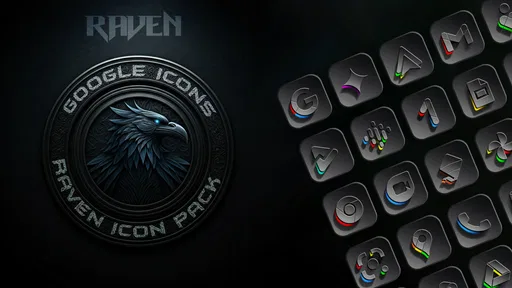
Our Review of Raven Dark Icon Pack
 Analysis by Appyee
I judge an icon pack less by how dramatic its screenshots look and more by whether I can still find the app I need when I’m in a hurry. Raven Dark Icon Pack is aimed at people who want their home screen to feel darker and more deliberate, without giving up the familiar app symbols that make everyday navigation quick. That balance is the useful idea here: a visual refresh should change the mood of a phone, not make it harder to use.
A darker look that still needs to work
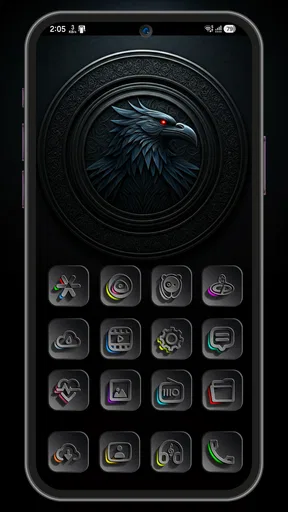
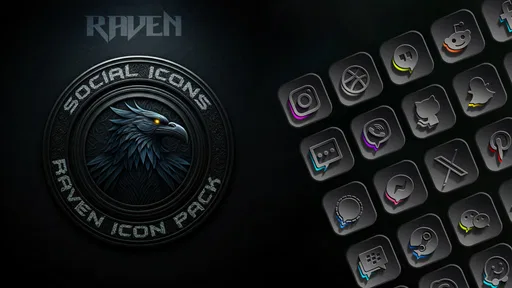
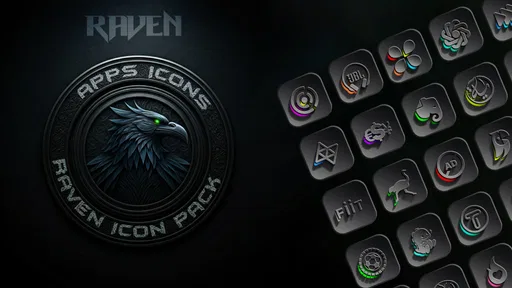
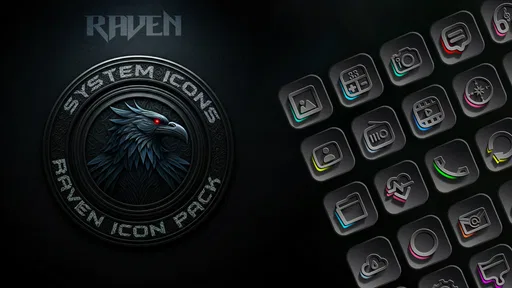
Creativepixels makes this a personalization app rather than a complete phone makeover. The main change is the icon treatment: instead of leaving a bright mix of unrelated app badges across the screen, the pack gives supported shortcuts a shared dark appearance. That can make a busy home screen feel calmer, especially if you keep several rows of apps visible.
In ordinary use, the payoff is less about admiring each icon one at a time and more about how the screen reads as a whole. A consistent palette reduces the visual competition between shortcuts, while recognizable shapes still matter when I’m trying to open messages, maps, or a work app without stopping to think. If you prefer a phone that feels composed rather than colorful, that is the real appeal.
Where the setup can get fiddly
An icon pack is not usually a switch that changes every screen on a phone by itself. The launcher matters. The setup described for Raven Dark uses a compatible launcher, with Nova, Apex, and Lawnchair named as options, so the practical first question is whether you already use one of those or are comfortable changing your home-screen app. If you prefer your phone’s default launcher and it does not offer icon-pack support, this may not be a one-tap purchase for you.
I’d make the change in a low-pressure moment, not while rushing out the door. Apply the pack, then check the home screen and app drawer for any shortcuts that look inconsistent or are not covered. Keep the launcher’s original icon settings in mind so you can reverse the change if the new look makes an important app harder to spot. That small check is especially useful if you rely on muscle memory.
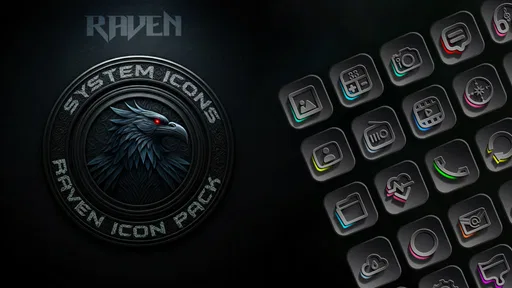
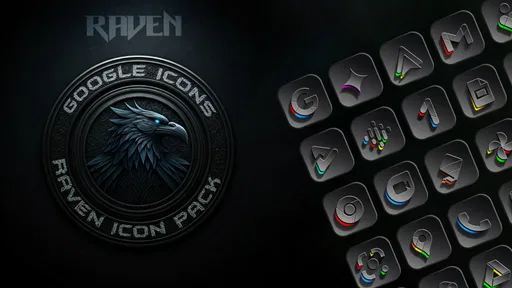
The listing describes a collection of over 4,000 icons, which suggests broad coverage, but a large library does not guarantee that every app on your particular phone will have a dedicated design. Your less common tools, recently installed apps, or region-specific services are the ones I’d inspect first. When an icon remains unchanged, the overall effect can feel less unified; when the launcher offers a manual icon choice, you may be able to pick a closer alternative, but that takes extra effort.
What the dark theme does—and does not—change
The AMOLED-friendly design is part of the appeal, but I would treat the appearance as the main reason to choose this pack, not promise of a noticeable battery improvement. Battery use depends on the display, brightness, screen-on time, and the rest of the phone. A dark icon set can look especially at home on a dark wallpaper and display, but it is not a substitute for the phone’s own power-saving settings.
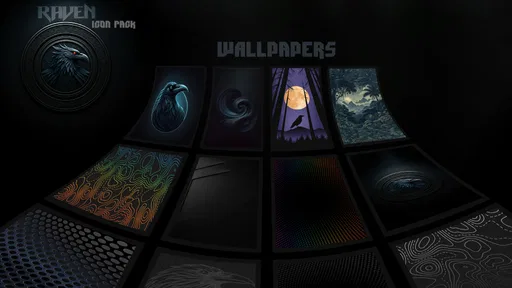
Matching wallpapers and custom widgets are also mentioned as part of the package. They can help make the home screen feel coordinated, though I would change one layer at a time: apply the icons first, live with them for a day, and only then decide whether a matching background or widget actually improves readability. A very dark wallpaper behind dark-looking icons may reduce contrast, so leave enough separation for labels and shortcut shapes to remain easy to scan.
Alternative icons are useful when one design feels out of place, but they also invite a bit of restraint. I’d use them to fix a practical mismatch—such as making a frequently used shortcut easier to recognize—rather than swapping icons repeatedly just for novelty. A home screen works best when the visual rules stay consistent enough that you can navigate without relearning it.
Who should make the change
This is most appealing if you already enjoy adjusting your launcher, prefer a dark visual style, and want a more coherent set of shortcuts without building every icon by hand. It is less suitable if you want a complete redesign of every part of the operating system, dislike third-party launchers, or need every app icon to remain exactly as its developer designed it. In those cases, the built-in dark theme or a simpler wallpaper change may be the more comfortable option.
The app is listed at $0.99, carries an Everyone age rating, and has a 4.6 average from 321 ratings, with 48 written reviews and 10K+ installs. It was released on Jan 1, 2025; version 1.2.6 is the current version, and Android 5.0 is the minimum OS. Those details make it a modestly priced, focused purchase rather than a broad customization suite, so I’d decide based on whether you are happy to use a compatible launcher and whether a dark icon style suits your daily screen.
A practical test is to start with the handful of shortcuts you use most. If they remain easy to recognize after the change, extend the theme across the rest of the home screen; if not, keep your original setup or use only the icons that improve the look without slowing you down. That way, the customization serves your routine instead of becoming another project to maintain.
Making the look fit your routine
There's something incredibly satisfying about customizing your phone to reflect your personal style. If you're anything like me, you love tinkering with your device's appearance. Well, let me introduce you to the Raven Dark Icon Pack—a sleek, stunning way to transform your home screen into a work of art.
Unveiling the Raven
First impressions are everything, right? Well, the Raven Dark Icon Pack doesn’t disappoint. As soon as you dive in, you’re greeted by a beautifully dark and moody aesthetic. The icons are crafted with precision, offering a seamless blend of subtlety and style. Trust me, they’re not just icons; they’re a statement.
The collection boasts over 4,000 high-quality icons, so you’ll never run out of options to match your mood or theme. Whether you’re a minimalist at heart or someone who loves a bit of flair, these icons cater to all tastes. And the best part? They’re regularly updated, so there’s always something fresh to look forward to.
Setting It Up
Installing the Raven Dark Icon Pack is as easy as pie. You don’t need to be a tech guru to get it up and running. Here’s a quick rundown:
- Download the Icon Pack from your preferred app store.
- Choose a compatible launcher. I’ve found that Nova Launcher works like a charm, but there are other options like Apex or Lawnchair.
- Head to your launcher settings and apply the Raven Dark Icon Pack.
In just a few taps, your home screen will be sporting a fresh, cohesive look. It’s like giving your phone a brand-new outfit!
Why You'll Love It
So, what makes this icon pack stand out in a sea of customization options? For starters, its versatility is unmatched. Each icon is designed to be flexible yet distinct, giving every app a unique identity while maintaining a harmonious overall look.
Moreover, the icons are crafted with AMOLED displays in mind, meaning they’re perfect for saving battery life while looking absolutely stellar. This little detail makes a big difference, especially if you’re someone who’s constantly on the go.
Another feature worth mentioning is the inclusion of alternative icons. You get the freedom to switch things up whenever the mood strikes. It’s like having a wardrobe full of clothes that you can mix and match to your heart’s content.
The Little Extras
But wait, there’s more! The developers have thoughtfully included a set of matching wallpapers to complement the icons. These backgrounds are designed to enhance the overall theme, creating a visually cohesive experience. It’s like walking into a room where everything just fits together perfectly.
And if you’re someone who loves a bit of extra flair, the icon pack also includes a selection of custom widgets. These small touches add a layer of personalization that really makes your device feel like it’s truly yours.
Final Thoughts
In the end, the Raven Dark Icon Pack is more than just a collection of icons. It’s a gateway to personal expression, allowing you to craft a digital environment that reflects who you are. Whether you’re a customization newbie or a seasoned pro, Raven Dark offers something special for everyone.
So, why not give it a try? You might just find that the Raven Dark Icon Pack is exactly what you’ve been searching for to elevate your device’s aesthetic. Happy customizing!
Verdict
Strengths of Raven Dark Icon Pack
- Sleek, modern icon design.
- Regular updates with new icons.
- Supports multiple launchers.
- High-resolution quality icons.
- User-friendly customization options.
Limitations of Raven Dark Icon Pack
- Limited free version icons.
- Some icons miss dark theme.
- Occasional compatibility issues.
- No widget customization.
- Requires additional launcher.
Other Releases by Creativepixels
View All
Camo Dark Icon Pack
Personalization4.5
Similar Picks in This Category
View All
Microsoft SwiftKey AI Keyboard
SwiftKey4.3

Wallpapers
Google LLC4.1

Zedge™ Wallpapers & Ringtones
Zedge4.7

Yandex Browser with Alice AI
Direct Cursus Computer Systems Trading LLC4.3

Ringtone Maker:create ringtone
Big Bang Inc.4.7

Fonts Keyboard
Fonts Keyboard3.9
Frequently Asked Questions
What is the Raven Dark Icon Pack and how does it enhance my device?
The Raven Dark Icon Pack is a collection of high-quality icons designed to give your Android device a sleek and modern look. It includes over 3,500 handcrafted icons, each with a dark aesthetic that pairs well with AMOLED displays. Additionally, the pack offers various wallpapers and support for popular launchers, enhancing your customization options.
Is the Raven Dark Icon Pack compatible with my device?
The Raven Dark Icon Pack is compatible with most Android devices. However, it requires a third-party launcher to apply the icons. Popular launchers like Nova, Apex, and Action Launcher are supported. If you're using a default system launcher, you may need to switch to a compatible one to fully utilize the icon pack.
How frequently are updates and new icons added to the Raven Dark Icon Pack?
Updates to the Raven Dark Icon Pack are rolled out regularly to ensure compatibility with new apps and to add new icons. The developer actively listens to user feedback and requests for new icons, ensuring that your favorite apps are represented in the pack. Check the app description for the latest update schedule.
What customization options are available with the Raven Dark Icon Pack?
Apart from the extensive icon collection, Raven Dark provides customization options such as dynamic calendar icons, alternative icons for popular apps, and a selection of matching dark wallpapers. Users can mix and match icons to personalize their home screen further, giving a cohesive and stylish appearance to their device.
Does the Raven Dark Icon Pack affect device performance or battery life?
The Raven Dark Icon Pack is designed to be lightweight and should not significantly impact your device's performance or battery life. Since it primarily involves visual changes, it runs smoothly without taxing system resources. Users with AMOLED screens may even experience improved battery efficiency due to the predominantly dark theme.
